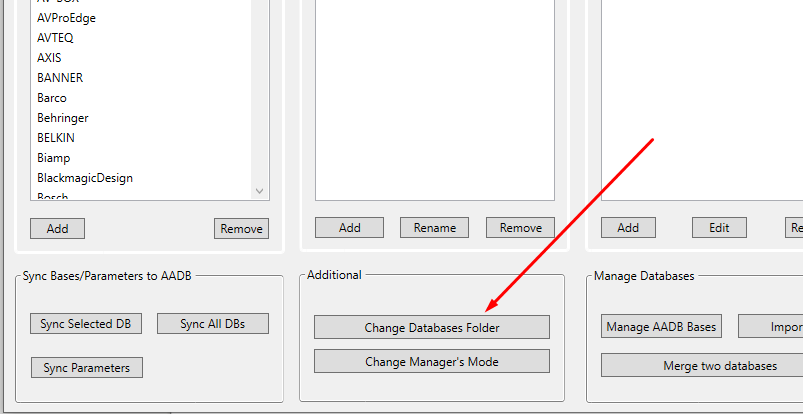
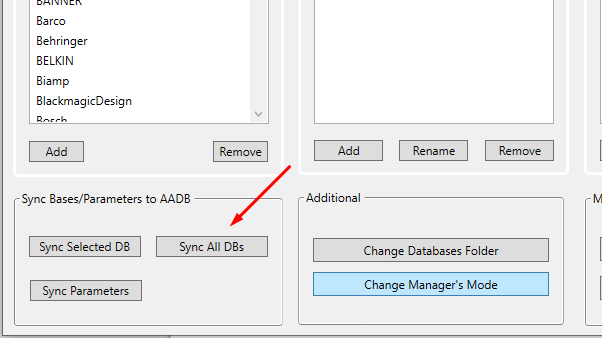
How to install AVCAD Database Manager? 1 Download and install the AVCAD Database Manager 2 Open it. After the first launch, it will ask you to change the folder. Click on this button and select the folder where you will keep your databases: 3 Click on the Initial Databases button to get them 4 Click on Sync All DBs 5 Open the AVCAD software and you have to see all the databases.